
How to Pay the Government Fee (Tasa) at a CaixaBank ATM — Step-by-Step Guide 2026
Paying the government fee — called the tasa (the mandatory state fee charged for each residency application step) — is a required step before your documents are submitted. We prepare the modelo 790 (Form 790, the official payment form for immigration fees) for you in advance. Your only task is to pay it in cash at a CaixaBank ATM. CaixaBank ATMs accept banknotes and are available in all major Spanish cities.
CaixaBank ATMs accept only banknotes for this type of payment. Prepare your cash before you go — the ATM does not accept cards for this transaction.
Step-by-step instructions
-
Select English on the ATM home screen.
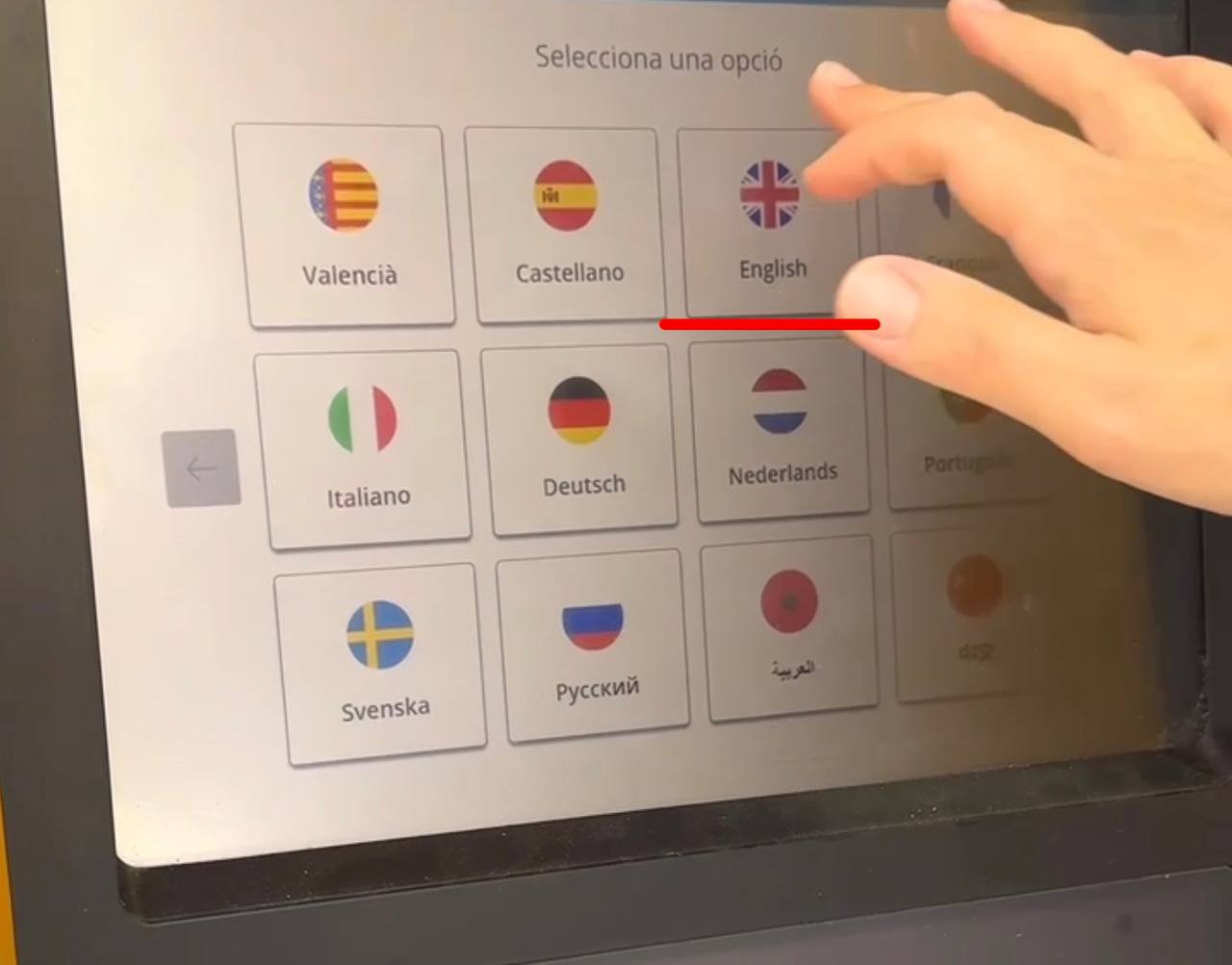
Step 1 — select English -
Tap "Cash payments".
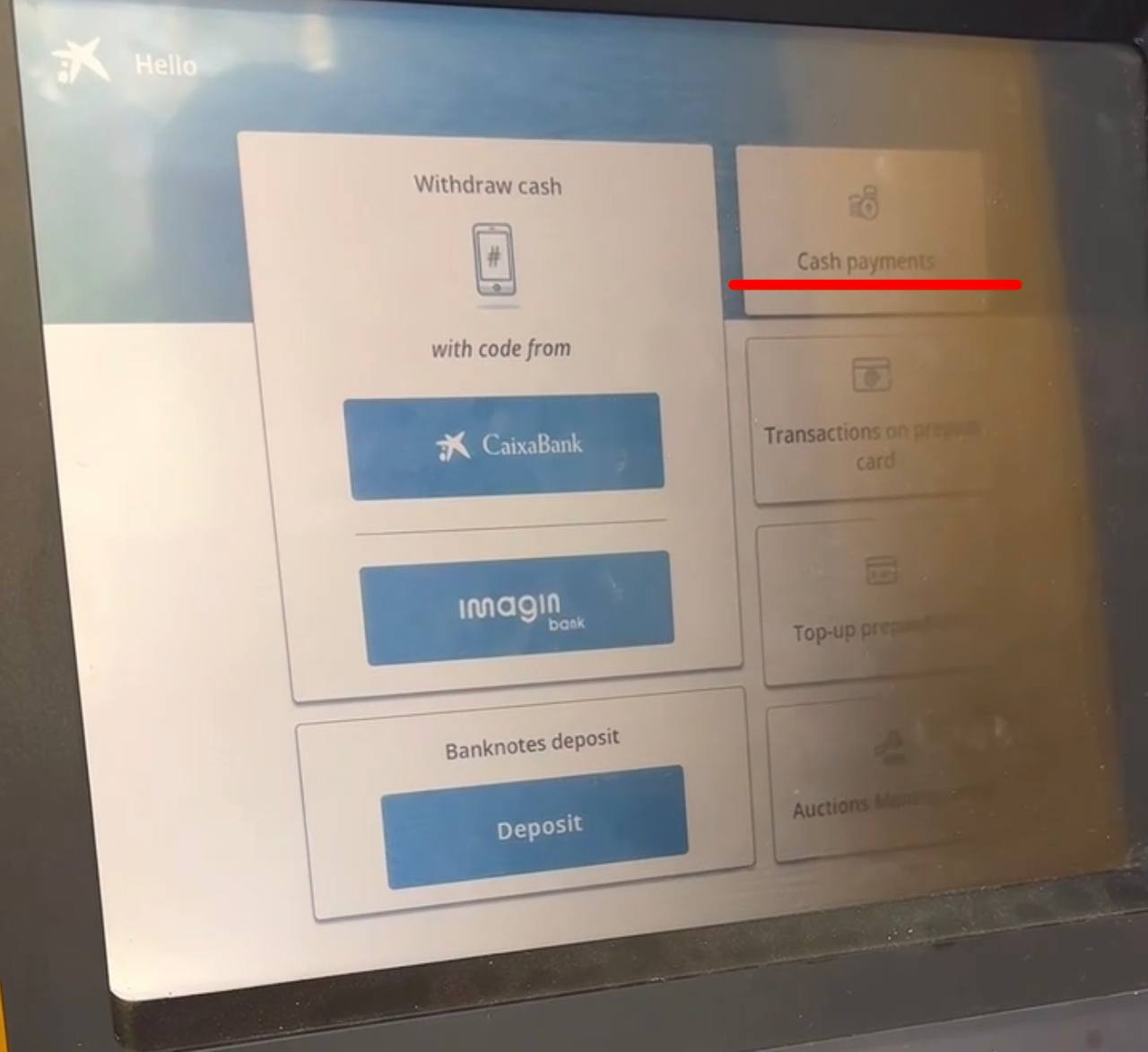
Step 2 — select Cash payments - Tap "Understood".
-
Tap "Payments without bar-code".
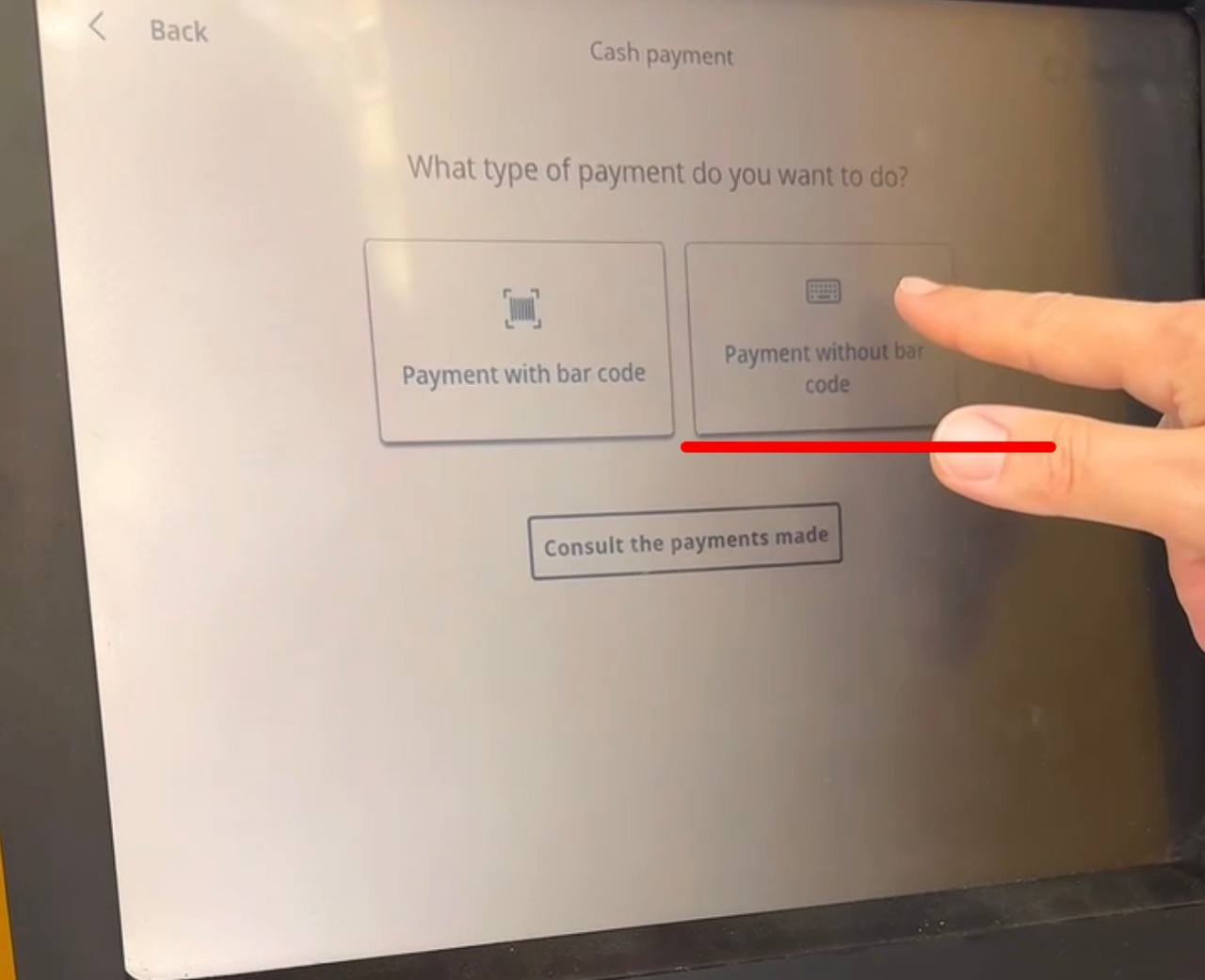
Step 4 — select Payments without bar-code -
Tap "Spanish tax agency".
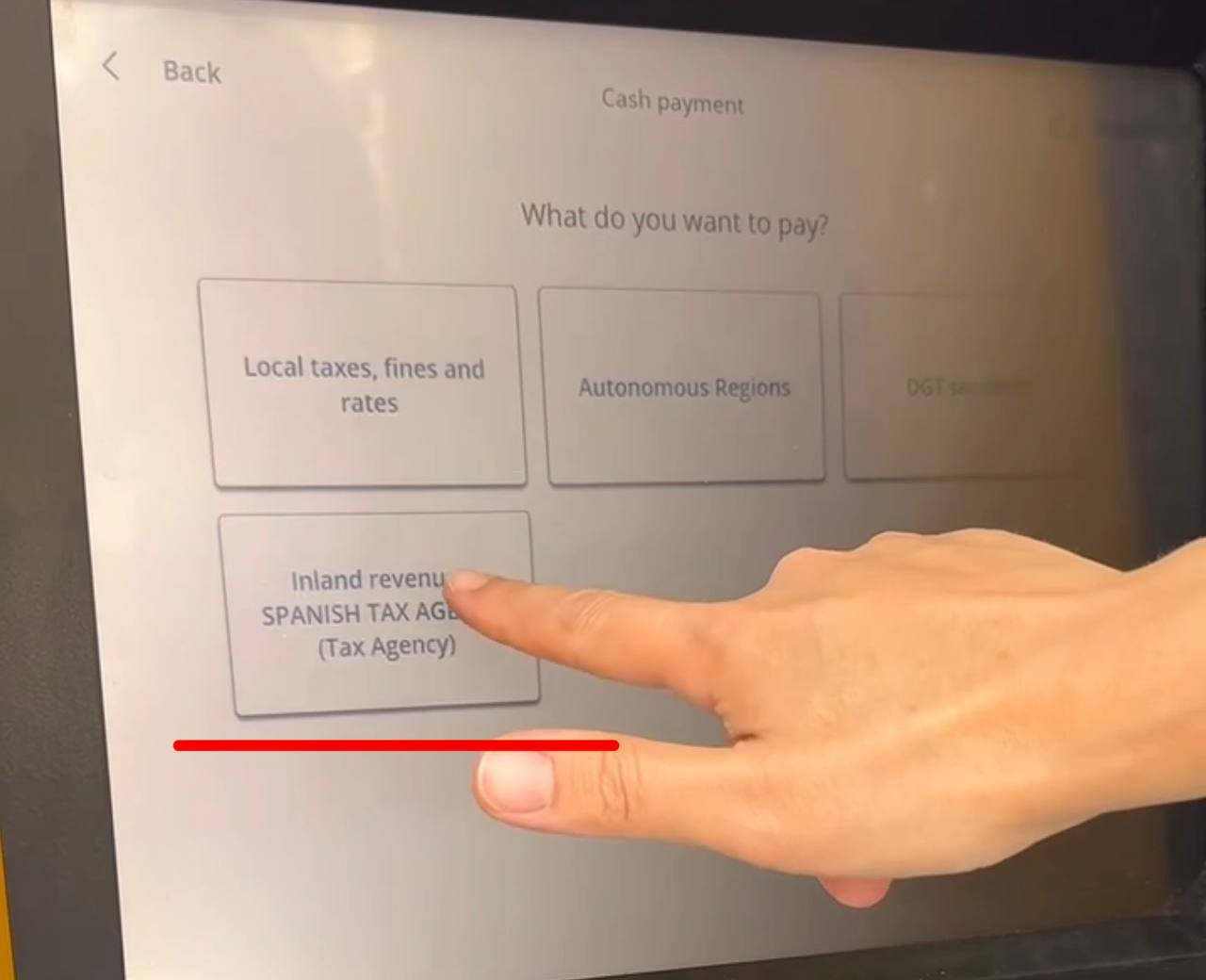
Step 5 — select Spanish tax agency -
In the search field, type: "790"
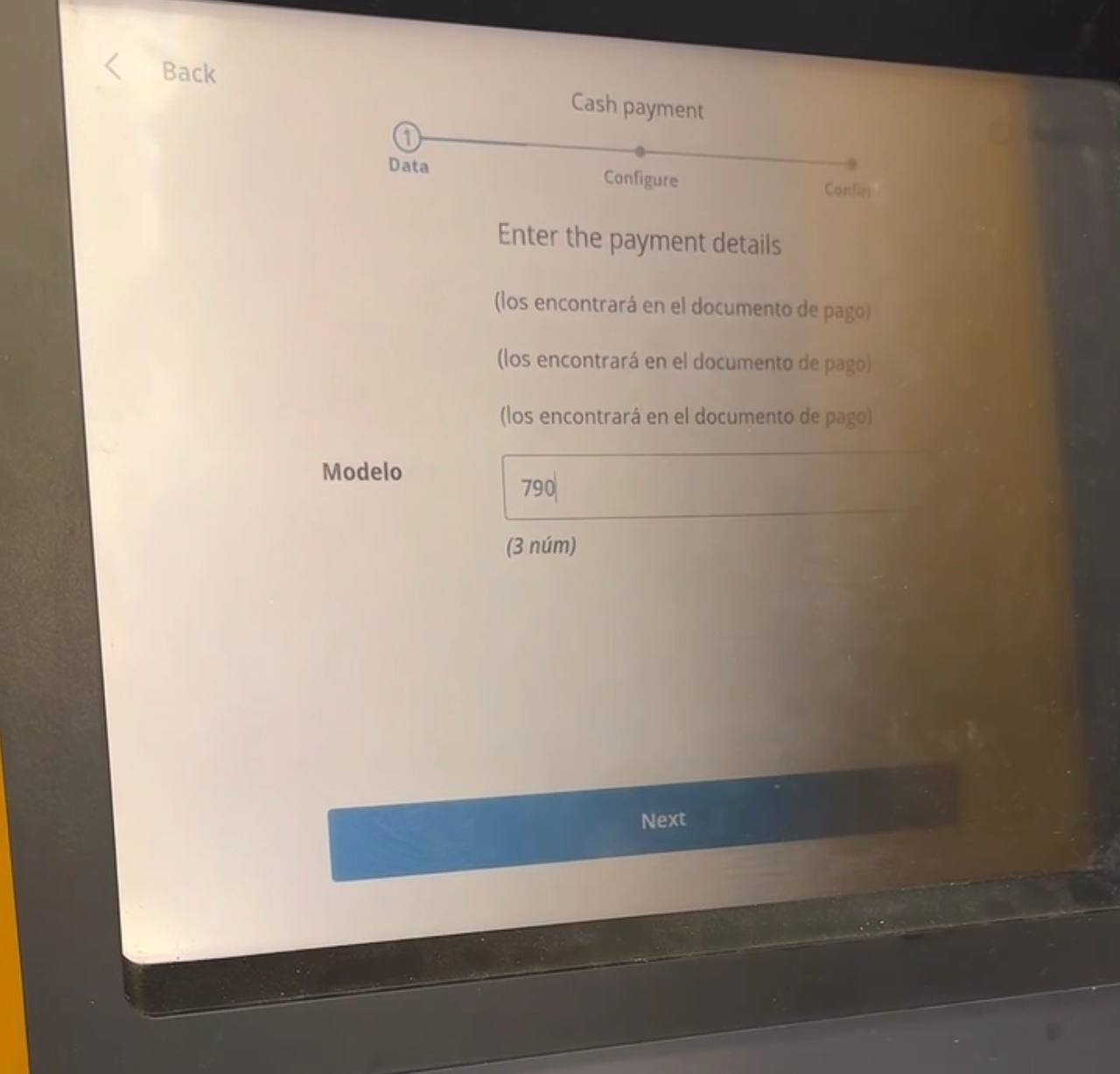
Step 6 — enter 790 - In the Importe (Amount) field, enter the exact amount shown on your receipt.
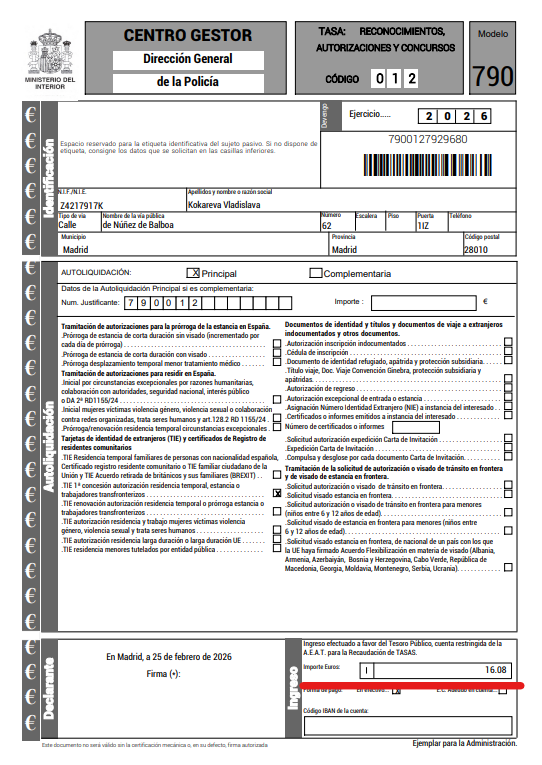
Step 7 — enter the details 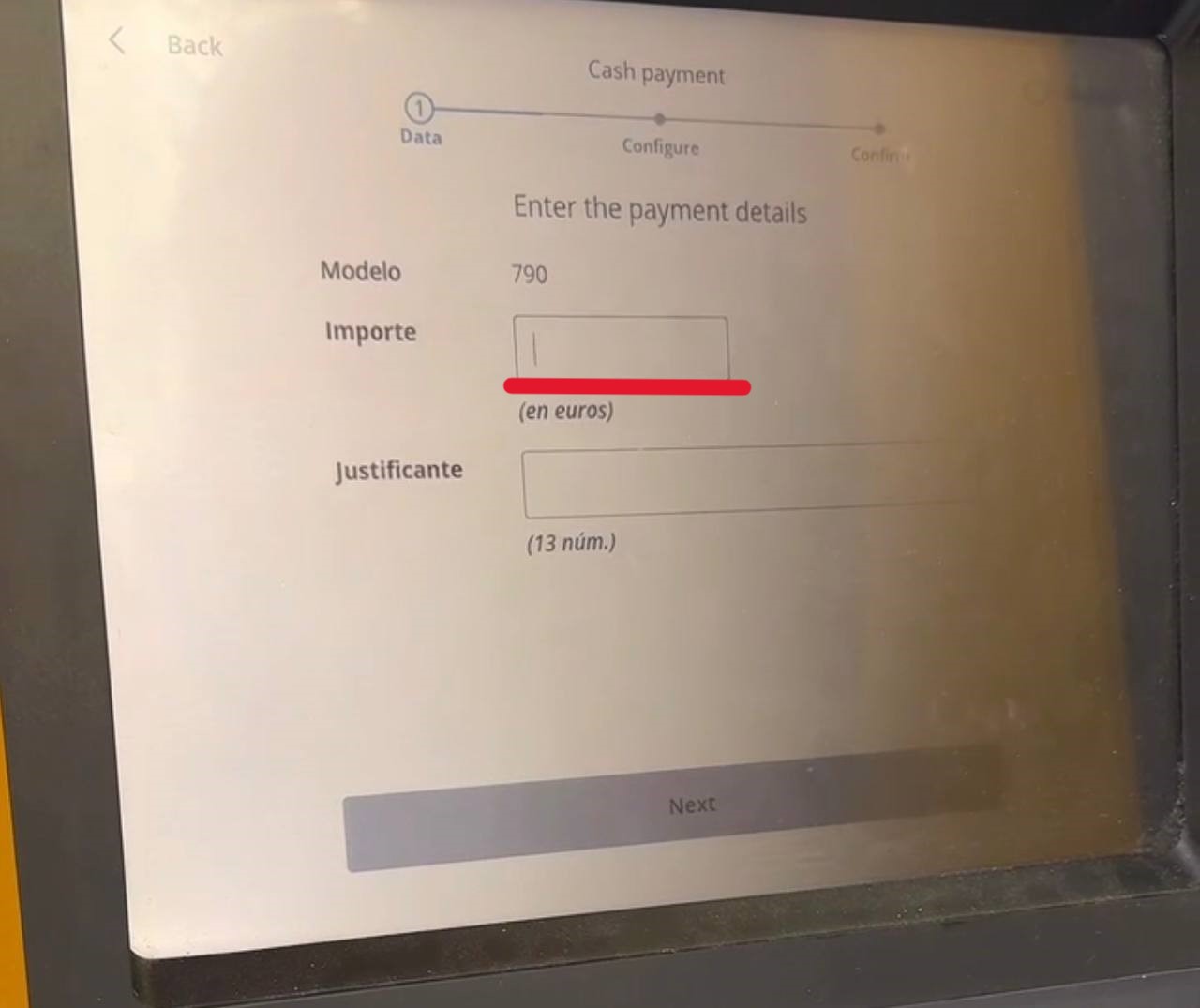
Step 7 (continued) - In the Justificante (Reference Number) field, enter the 13-digit reference number from your receipt.
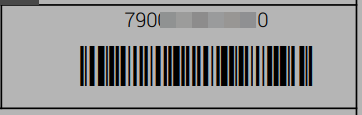
Step 8 — verify the details before confirming 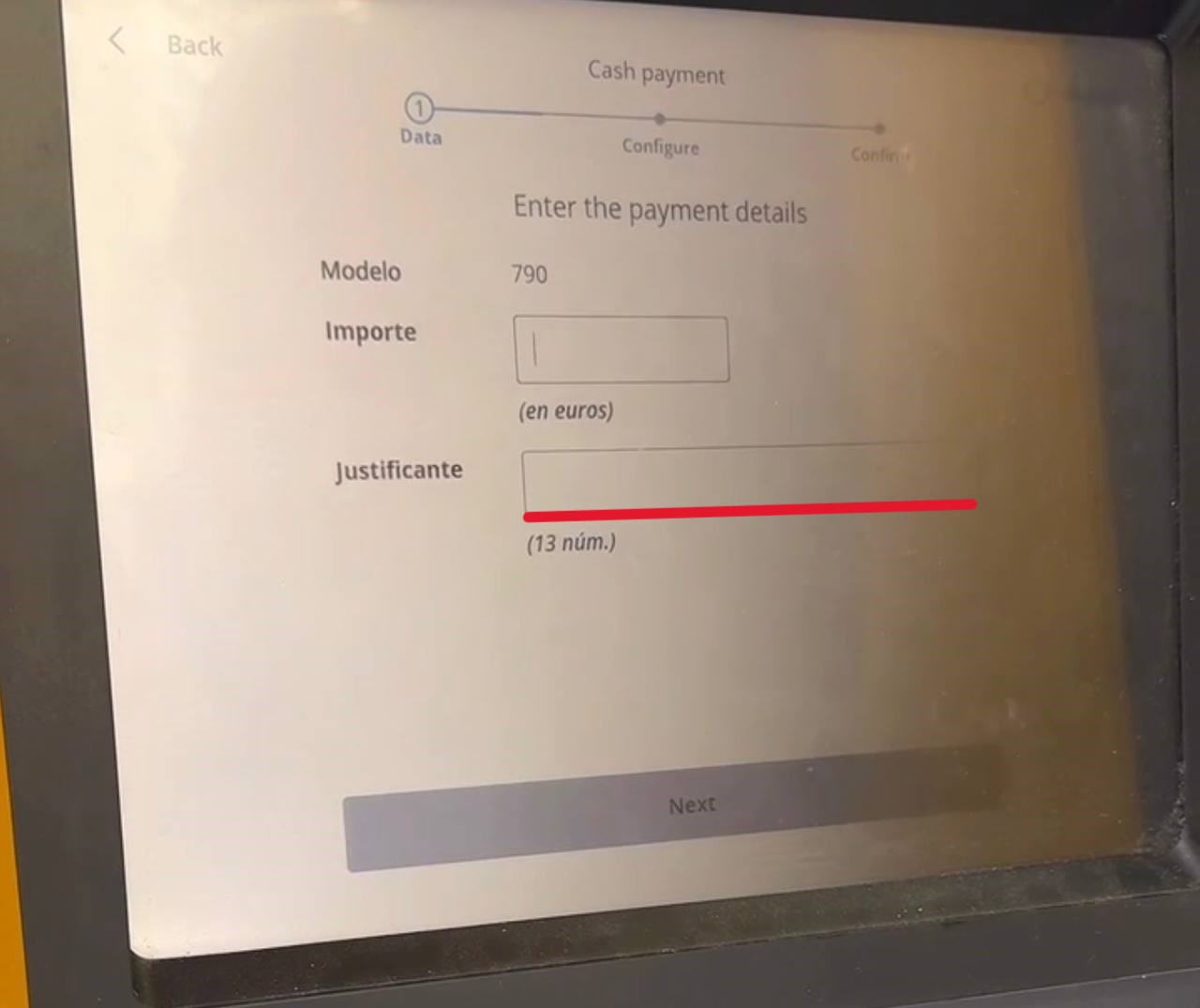
Step 8 (continued) — phone number entry - Enter your NIE (Número de Identidad de Extranjero — your Spanish foreigner ID number). It is printed in the bottom-left corner of your receipt.
- Review all the details and tap "Confirm".
- Enter a phone number: use our team's Bizum-enabled number [TODO: insert team contact number], or your own Spanish mobile number if you have Bizum (a Spanish bank-to-bank mobile payment service) activated on it.
- Insert your banknotes into the cash slot.
- Tap "Confirm".
- Collect your payment confirmation receipt. Do not discard it.
- Send us a photo of the receipt via WhatsApp (https://wa.me/34603553472) or email it to hello@espanago.com.
Important tips
- Your NIE is printed in the bottom-left corner of the receipt — enter it exactly, with no spaces
- The Justificante reference number is exactly 13 digits, with no spaces
- Enter the amount exactly as it appears on your receipt — in euros, using a comma as the decimal separator if needed (e.g., 10,72)
Find your nearest CaixaBank ATM via caixabank.es or in the CaixaBank Now app under "Cajeros" (ATMs).
Keep your payment receipt safe — it serves as proof that the tasa was paid and must be included in your application document package.
Prefer to have someone handle this for you?
We manage the entire process — from document preparation to collecting your resident card.
Get Started