
How to Sign the Application Forms for a Spain Residency Permit — Step-by-Step Guide 2026
Every application form for the Digital Nomad residency permit requires your personal handwritten signature — and the signing location differs on each form. Signing in the wrong place is one of the most common reasons forms have to be redone. This guide gives you the exact instructions for each document type.
General rules
- Print the form on a printer
- Sign with a blue pen — blue ink only, not black
- Scan and send to us
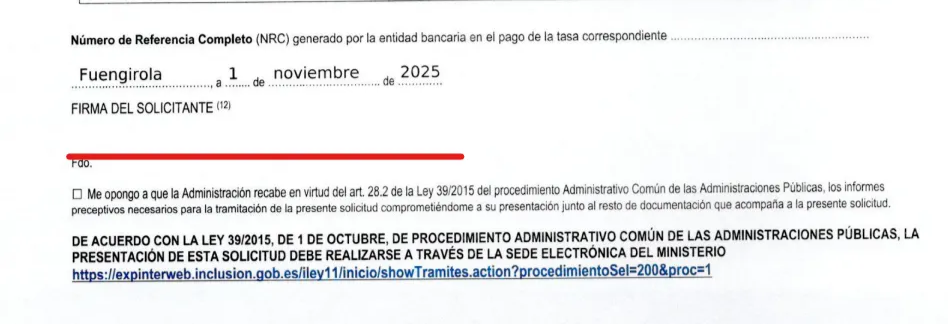
Forms MI-T and MI-F
Sign below the date, at the very end of the form.
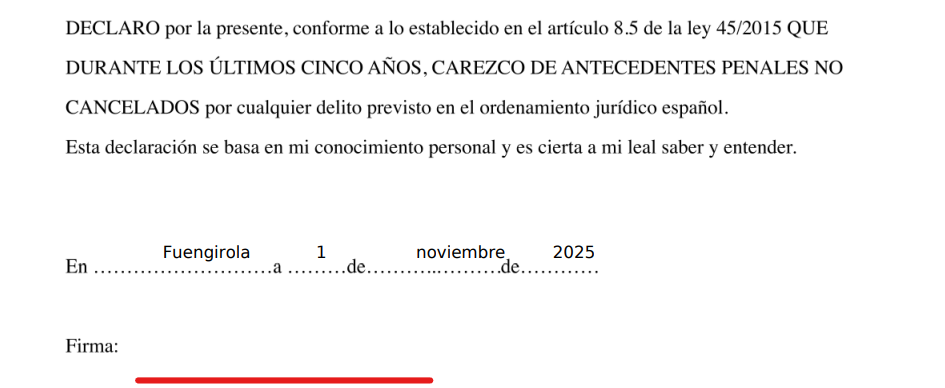
Declaración responsable de carecer de antecedentes penales (Self-Declaration of No Criminal Record)
Sign next to the word "Firma" (Signature).
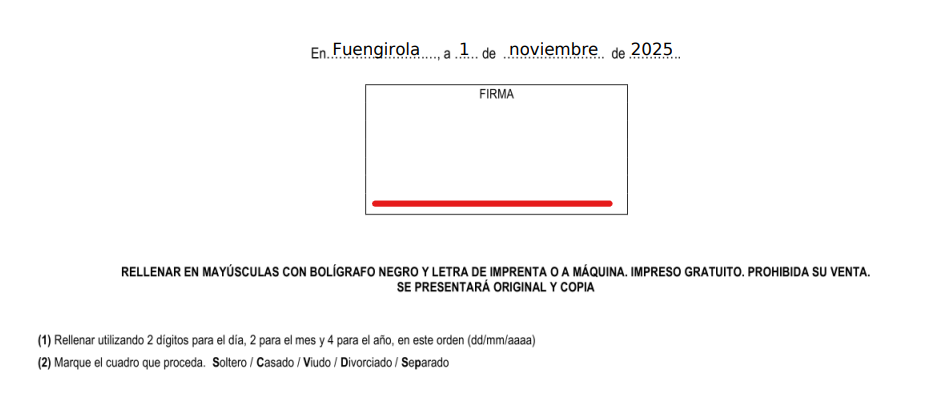
DOCUMENTO DE DESIGNACIÓN DE REPRESENTANTE (Appointment of Representative)
Place your signature inside the designated box.
All other forms
If the form has no designated box and no "Firma" label, sign directly below the body text.
If you are unsure where to sign on a specific form, reach out via WhatsApp (https://wa.me/34603553472) or email hello@espanago.com and we will confirm.
Blue ink only — black ink is not accepted by Spanish immigration authorities.
Make sure your signature is clear and not smudged before scanning.
Do not use a digital or electronic signature — a handwritten signature is required.
For a full overview of the entire process, see our main Digital Nomad residency permit guide.
Prefer to have someone handle this for you?
We manage the entire process — from document preparation to collecting your resident card.
Get Started